
Video • Audio • Voice

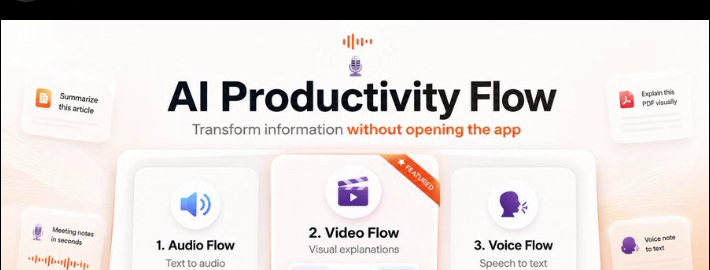
From text to video. From text to audio. From voice to text.

Without switching apps.

Download Flow
THE PROBLEM WITH MODERN WORKFLOWS

Why work feels so exhausting

Long documents, constant app switching, and endless typing slow everything down.

01 · LONG READING

The 15-Page Reading Wall

Dense articles, PDFs and documentation take time to read and make important details easy to miss.

WITHOUT FLOW
01 · Long Reading
02 · CONTEXT SWITCHING

Constant App Switching

Select text, copy it, open another AI tool, paste it, prompt it, then bring the result back. Repeating that all day breaks your flow.

WITHOUT FLOW
02 · App Switching
03 · TYPING BOTTLENECK

Typing Can’t Keep Up With Thought

Speaking is often faster and more natural than typing long emails, notes, prompts and replies.

WITHOUT FLOW
03 · Typing Bottleneck
WITHOUT FLOW
01 · Long Reading
THE SOLUTION

Three flows. One system.

Turn information into video, audio, or polished text without interrupting what you're doing.

WITH FLOW
01 · Video Flow
01 · VIDEO FLOW

Turn Any Document Into Video

Select an article, PDF, tweet, or code and turn it into a narrated visual explainer — without leaving the app you're already using.

02 · AUDIO FLOW

Read, Explain, or Summarize Anything

Select text anywhere and choose how you want to understand it: hear the original, get a clearer explanation, or generate a focused summary.

03 · VOICE FLOW

Dictate Into Any App

Press a shortcut, speak naturally, and Flow turns your voice into polished text directly where you're working.

INTERACTIVE PRODUCT DEMO

See how Flow works

Select text or try Video, Audio, and Voice directly inside the demo.

Uzer Kayat on X: "AI Productivity Flow... ×
− ▢ ×
https://x.com/UzerKayat/status/2100164203139231923 🌐 Interactive simulation
🧩 ☆ ✨
🌤 29°C
🔍 Search
Flow
📶 🔊 🔋
ENG
IN
07:28 PM
16-09-2026
Built-in / Local Your provider / BYOK Account connection
Privacy

Local-first. You decide when data leaves your device.

Local features stay on your machine. When you choose a cloud provider, only the data needed for that request is sent directly to that provider.

Local when you want it

Supported speech, rendering, and other local features can run directly on your device.

Your credentials stay under your control

Provider credentials are stored locally and used only to connect to the service you choose.

Cloud only when you choose it

Cloud providers are contacted only when you use a feature configured to use them.

No developer-owned AI gateway required.
Download

Get AI Productivity Flow

Install Flow directly on your desktop.

Windows

Windows 10/11 · 64-bit
Download for Windows .exe installer · about 505 MB
Windows may show a SmartScreen warning because the app is new. Click 'More info', then 'Run anyway'.

macOS

macOS 12+ · Apple Silicon + Intel
Download for macOS .dmg installer · about 159 MB
If macOS says the app can't be opened, right-click the app, choose 'Open', then click 'Open' again. Or go to System Settings > Privacy & Security and click 'Open Anyway'.
Latest stable · v1.0.0 · Release notes ↗
Requirements: Windows 10/11 (64-bit) or macOS 12+ (Apple Silicon or Intel) · About 1.5 GB free disk space · Internet needed only for cloud features & NotebookLM (local features work offline)
QUICK ANSWERS

Before you get started